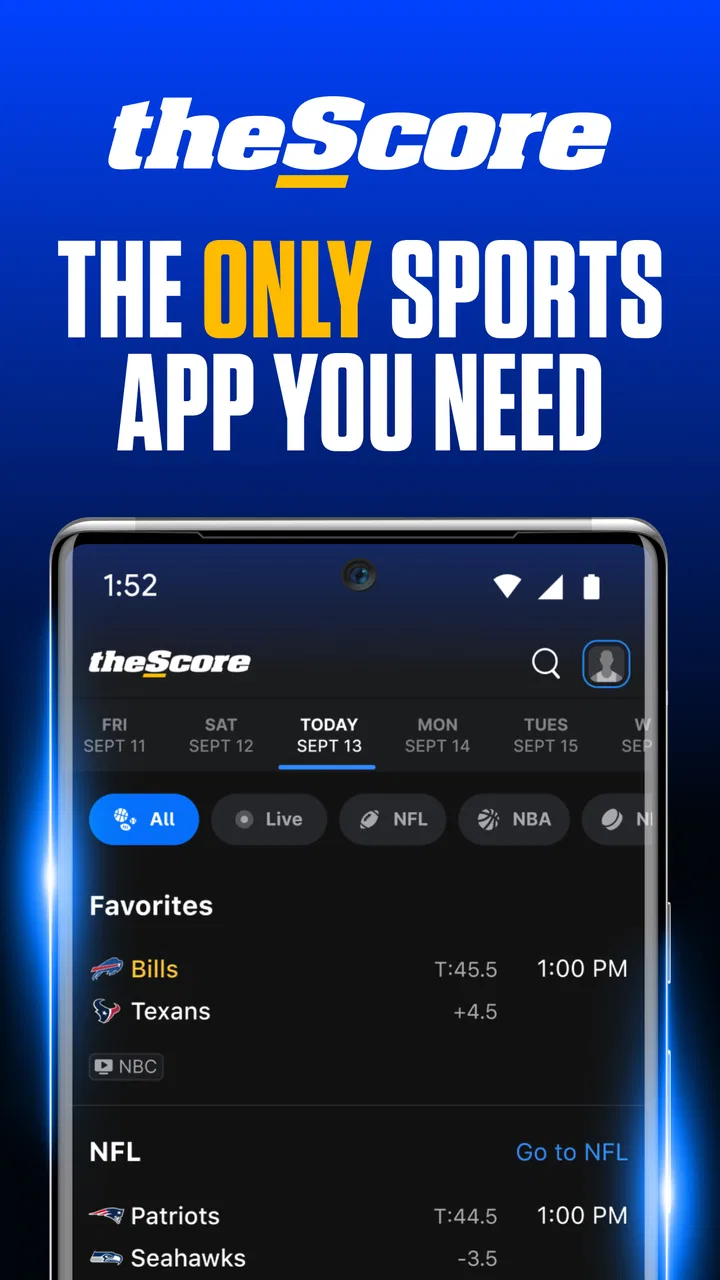
theScore: Sports News & Scores
- 4.2
- Rating
- 10.00M
- Installs
- Free
- Price

 Analysis by App-foxy
I use sports apps for two very different reasons: to follow a game while I am busy, and to catch up properly when I have missed part of the day. TheScore: Sports News & Scores is built for both jobs. It brings live scores, sports news, statistics, videos, and league coverage into one place, covering competitions such as the NFL, NBA, MLB, NHL, EPL, PGA, MMA, NCAA, and more. After spending time with it, I found that its biggest strength is not any single screen. It is the way a carefully chosen set of followed teams and competitions turns a broad sports app into a personal scoreboard.
This is a free sports app from Score Media and Gaming Inc., rated for Everyone. It has been available since May 19, 2010, and its current version is 26.4.0 for devices running iOS 11 or later. Its 4.3 average from around 202K ratings and more than 10 million installs suggest that it has become a familiar choice for people who want broad coverage rather than a tool dedicated to one league. I think that description is fair, but the app rewards users who take a few minutes to shape it instead of treating the default feed as the finished product.
My everyday workflow with theScore
My normal starting point is the main scores area. Rather than opening a news feed and hoping the important result appears, I look for the competition or team I care about, then use that view as my reference point. This is especially useful on crowded sports days, when several leagues are active and a general stream can quickly become noisy. The app’s range is convenient, but it also means that the first few minutes of setup matter.
You May Also Like

 Pandora - Music & Podcasts
Pandora’s Music Is Easy to Start, but Harder to Recover
Pandora’s strength is its low-effort path from a seed to a station. Its weak spot is how much confidence it asks you to place in connection, setup, and quiet recovery.

 AccuWeather: Weather Radar
AccuWeather Review: A Quick, Clear Forecast for Everyday Decisions
For everyday plans, the best forecast is the one you can understand quickly. AccuWeather makes rain timing, radar, and local conditions easy to act on, with a few trade-offs.

 Hill Climb Racing
Why Hill Climb Racing Still Turns Crashes Into One More Run
A tiny car, a bumpy hill and one more upgrade: Hill Climb Racing keeps resurfacing because its simple chaos makes every near-miss feel personal.

 AliExpress - Shopping App
AliExpress Makes Global Shopping Feel Personal, but Shoppers Bear the Risk
AliExpress turns a global marketplace into a pocket-sized discovery engine. Its reach is useful, its shopping loop compelling, and its trade-offs easy to miss.

 Lords Mobile: Kingdom Wars
Lords Mobile Is a Kingdom-Building Routine, Not a Quick Match
A case-by-case verdict on the building, battles, device demands, and social commitments that make Lords Mobile rewarding for some players and exhausting for others.

 PDF Scanner app - TapScanner
TapScanner Makes Paperwork Easier to Capture, Check, and Share
TapScanner makes scanning with a phone feel less like a rescue operation and more like a dependable step in getting work done. Its capture tools are useful, though not flawless.
More From Our News Desk
View All News


For a casual check, I can scan current and recent games, open an individual matchup, and move from the basic result toward more detail. That layered approach is one of the better parts of the experience. I do not need every statistic when I am standing in a queue, but I may want a fuller look later when a result affects a playoff race, fantasy decision, or conversation with friends. TheScore works best when I use the quick view first and only open deeper information when the event deserves it.
A realistic example is a workday with an evening game I do not want to miss. During the afternoon, I can check the relevant team page for news and recent form. During the game, I can glance at the score instead of following a full broadcast. Afterward, I can read related coverage and inspect the available statistics. That sequence makes the app useful even when I am not watching live, because it supports a short check, a live check, and a catch-up session without forcing me into the same level of detail every time.
The news side is more valuable when I treat it as context rather than as a replacement for a dedicated publication. I use it to understand why a result matters, find updates around a team, and discover stories connected to the competitions I follow. The advantage is breadth: one app can move from basketball to football, baseball, hockey, soccer, golf, combat sports, and college competitions. The trade-off is that a specialist outlet may offer a stronger editorial voice or more depth in one sport.
Videos fit naturally into this workflow, but I do not see them as the core reason to install the app. They are handy when I want a visual recap or a quick piece of coverage, while scores and statistics remain the more dependable everyday foundation. If you mainly want long-form analysis, full broadcasts, or a single sport’s complete media ecosystem, I would look elsewhere. If you want a compact way to keep several sports in view, the combination is much more convincing.
What I check before relying on the feed
The first useful habit is deciding what deserves attention. I would not follow every available league simply because the app supports it. A smaller selection makes the home experience easier to read and reduces the chance that an important update is buried among competitions I only occasionally watch. I prefer to begin with a few teams and one or two broader competitions, then add more only when I notice a real need.
This is also where the app differs from a simple league website. A league-specific app can be the better choice if one competition is your entire sporting life and you want its official ecosystem. theScore is more practical for a mixed-interest fan who follows a club, a national competition, a major North American league, and perhaps a few individual athletes or events. Its value comes from reducing the number of separate apps needed for that combination.
Settings that deserve a deliberate look
I recommend reviewing notification choices instead of accepting every alert during setup. The useful question is not “Do I want sports updates?” but “Which updates would make me open the app?” A live score for a team I actively follow can be worthwhile. Repeated alerts for every minor development across every selected competition can turn a helpful tool into background noise. I would start narrowly, use the app for a few days, and expand only if something important is consistently missing.
Following teams and competitions has another practical effect: it changes the app from a general sports directory into a personal dashboard. I use that distinction when deciding whether to follow a whole league or just a team. League-wide following is useful during a tournament or a busy season, while team-level following is calmer for everyday use. Switching between those approaches is more sensible than leaving everything enabled permanently.
It is worth checking the device requirements before planning an installation. The current version is listed for iOS 11 or later, so users with older Apple hardware should verify compatibility before changing their usual sports routine. On a supported device, I would also consider how notifications fit alongside other sports apps. If another app already sends official event reminders, duplicating those alerts here may add clutter without adding useful information.
Another setting-related decision concerns attention rather than a visible switch: choose when to read. I use the scores view for immediate information and the news area when I have time to interpret it. Mixing both habits can make the app feel busier than it really is. Separating “quick result” sessions from “catch-up” sessions helps me avoid opening a story when I only wanted to confirm a final score.
Shortcuts that make repeat visits faster
The fastest pattern is to begin with followed items instead of browsing across the entire catalog. When I already know which teams matter, I can use the personal area as a launchpad, then move into the specific game or story. This sounds simple, but it changes the app from something I scroll through into something I consult with a purpose.
I also try to open the event itself when I need context, rather than jumping between separate headlines and score pages. A matchup view can connect the result with available statistics, related coverage, and video material. That reduces the mental work of confirming whether two different stories refer to the same game. It is particularly helpful when several teams have played on the same day.
For a busy schedule, I use a two-pass routine. The first pass is a quick scan of scores and status. The second pass happens later, when I select only the games or stories that deserve attention. This is more efficient than reading every update as it arrives, and it prevents the app’s breadth from dictating my entire day. Experienced use is less about finding a secret button and more about repeating a sensible order of actions.
There is a useful trade-off between breadth and precision. If I follow many sports, the app becomes excellent for discovery and broad awareness, but less focused as a single-screen scoreboard. If I narrow the selection, it becomes quicker for personal use, though I may miss an unexpected story from a sport I follow casually. I prefer a focused base with occasional browsing when I have spare time.
Another small but important habit is checking the date and competition context before reacting to a headline. A sports story can refer to a preview, a live event, or a completed result, and a quick glance at the surrounding score information helps prevent confusion. The app gives me the pieces to make that distinction, but I still need to read carefully rather than treating every alert as breaking news.
Where the app is strong, and where it reaches its limits
TheScore is strongest as a multi-sport companion. I can move from a baseball result to a soccer update or a basketball game without maintaining a collection of separate league apps. That broad coverage is the reason I would recommend it to someone whose interests change throughout the week. It is also a good fit for households or friend groups where different people follow different sports.
It is less persuasive for someone who wants one definitive source for a single competition. A dedicated league app or specialist sports publication may provide more specialized reporting, official material, or a deeper statistical environment. TheScore can still be useful alongside that service as a cross-sport overview, but I would not assume it should replace every specialist tool.
News density can be another limitation. A broad sports feed naturally contains items that are not equally important to me, and no amount of personalization removes the need to choose what I actually want to read. The answer is not to keep scrolling endlessly. I get better results by using followed teams for routine checks and the wider sections only when I deliberately want discovery.
Statistics are valuable when I need a quick comparison or a clearer sense of how an event unfolded. They are not automatically a complete substitute for a specialist statistics platform, especially for users who analyze sport professionally or track highly specific historical details. My view is that theScore provides useful in-app context for normal fans, while demanding analysts may still need a more dedicated reference.
The same applies to video. It adds variety and can make a result easier to understand, but availability and relevance can vary by sport and event. I would install the app for its combined scores, news, and statistics, then treat video as a helpful extra rather than the deciding feature. That expectation keeps the experience realistic.
Who should use it, and who should skip it
I would recommend theScore to a fan who follows several sports, checks results throughout the day, and wants one free place to combine live information with news and statistics. It is also a sensible option for someone who often misses games and needs a quick way to reconstruct what happened. The broad selection makes it more useful than a narrow score tracker for people whose interests cross league boundaries.
I would be more cautious if you follow only one team and already have a specialist app that gives you exactly the alerts and coverage you need. In that situation, theScore may feel broader than necessary. I would also skip it as a primary choice if your main goal is full live viewing, deep tactical analysis, or a highly specialized historical database. Its role is best understood as a flexible sports information hub, not an all-purpose replacement for every sports service.
The Everyone content rating makes it suitable for a general audience, which is helpful when several people share a tablet or phone. The free price also lowers the barrier to trying it without committing to a subscription. Even so, I would judge it by the time it saves rather than by the fact that it costs nothing. If the notifications and wide coverage create more distraction than value, a simpler team-focused app may suit you better.
My verdict after building a repeatable routine
After using theScore with a focused selection of teams and competitions, I see it as a practical daily companion rather than a passive news stream. Its best experience comes from three habits: choose followed items carefully, separate quick score checks from longer reading, and use event pages when a result needs context. Those habits are not flashy, but they make the difference between a crowded sports app and a genuinely useful personal dashboard.
Score Media and Gaming Inc. has made a broad sports product that works particularly well for people who refuse to stay inside one league. The app’s 4.3 average from around 202K ratings and its reach beyond 10 million installs reflect a substantial user base, but my recommendation rests more on the practical balance of coverage and speed. I like being able to check the NFL, NBA, MLB, NHL, EPL, PGA, MMA, NCAA, and other competitions without rebuilding my routine around separate apps.
My final advice is to install it with a plan. Follow the teams you genuinely care about, keep alerts selective, and use the wider feed when you intentionally want to explore. If you do that, theScore is a strong free choice for broad sports awareness and everyday score checking. If you want one league’s deepest possible coverage or live viewing above everything else, choose a specialist alternative instead. For the multi-sport fan, its real advantage is control over a large amount of information.
FAQs for theScore: Sports News & Scores
01What sports and leagues are covered by theScore app?
TheScore app offers comprehensive coverage of a wide range of sports, including football, basketball, baseball, hockey, soccer, and more. It features major leagues such as the NFL, NBA, MLB, NHL, EPL, and many others. Users can customize their feed to follow their favorite teams and leagues for personalized updates.
02How can I customize notifications in theScore app?
TheScore app allows you to customize notifications to ensure you receive updates that matter most to you. You can set alerts for specific teams, players, or entire leagues. Notifications can include game start times, score updates, news, and other essential information. This ensures you never miss an important moment.
03Is theScore app free to use, or are there any in-app purchases?
TheScore app is free to download and use, offering a wealth of sports news and scores without any mandatory charges. However, it may offer optional in-app purchases or premium features that enhance the user experience, such as ad-free browsing. Always check the app store for the latest pricing details.
04Can I use theScore app on multiple devices?
Yes, theScore app is available on both Android and iOS platforms, allowing you to install and use it on multiple devices. By creating a user account, you can sync your preferences and settings across all your devices, ensuring a seamless experience whether you're on your phone or tablet.
05Does theScore app provide live streaming of games?
TheScore app does not offer live streaming of games but provides real-time updates, scores, and highlights. It focuses on delivering the latest news and statistics, while directing users to official streaming services or broadcasts for live game viewing. This ensures you stay informed with up-to-the-minute information.
Pros
- Comprehensive coverage of multiple sports.
- Real-time score updates and alerts.
- Personalized news feed for your teams.
- User-friendly and intuitive interface.
- Free to download with minimal ads.
Cons
- Occasional delays in notification delivery.
- Limited customization for non-mainstream sports.
- Video highlights can buffer on slow connections.
- No offline mode for news and scores.
- In-app ads can be mildly intrusive.

theScore: Sports News & Scores
Gallery